By using this site you agree to the use of cookies by the company in accordance with the Privacy Policy
Cash is not disappearing from daily commerce. The Federal Reserve’s 2023 Diary of Consumer Payment Choice reported that cash represented 16% of U.S. consumer payments. That figure keeps ATMs relevant, even as digital wallets expand. RBR Data Services also continues tracking a large global ATM estate, with millions of machines requiring inspection, servicing, and component replacement. Reliable equipment depends on more than the outer cabinet. A worn card reader, faded display, weak receipt printer, or failing dispenser sensor can interrupt a customer’s withdrawal within seconds.
This guide examines the top 10 Atm Replacement Parts that operators and maintenance teams commonly purchase. The selection focuses on operational value, compatibility, failure risk, and service availability. It covers practical components such as card readers, PIN pads, screens, receipt printers, cash dispenser belts, rollers, locks, power supplies, cameras, and communication modules. Each part should match the ATM model, firmware requirements, security configuration, and regional certification standards. Manufacturer manuals and authorized service records remain essential evidence.
Some parts look inexpensive but create costly downtime. A small transport roller can misalign notes, while a weak power supply may produce confusing system faults. Experience also shows that the cheapest component is rarely the safest long-term choice. No list fits every machine. Older terminals may need discontinued parts, and newer units can require proprietary assemblies. Buyers should verify part numbers, warranty terms, lead times, and return policies before ordering. Rushing this step is an easy mistake. Availability matters, but dependable performance matters more.
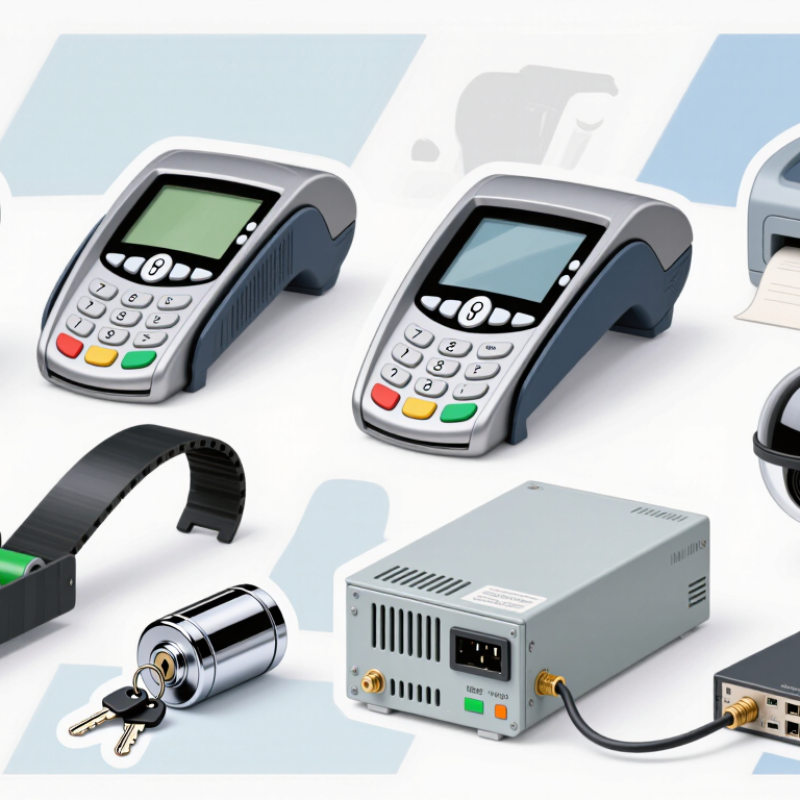
ATM maintenance depends on replacing worn parts before they cause repeated service calls. In my field experience, the card reader is often replaced after damaged contacts or frequent read errors appear. Keypads also wear from constant pressing and may develop unresponsive keys. Small parts matter. Receipt printers commonly need new rollers, cutters, or paper sensors. Dispenser belts and pickup rollers can harden, slip, or collect dust. Cleaning helps, but it does not restore aged rubber.
Other frequently replaced components include the display, power supply, backup battery, door locks, and cassette sensors. A dim display may indicate a failing screen or unstable power connection. Power supplies deserve careful testing because voltage problems can damage other modules. Backup batteries lose capacity over time, even when the machine still starts normally. Door locks should be replaced when alignment becomes unreliable. Cassette sensors may need attention when cash levels are reported incorrectly.
Technicians should match each part to the exact terminal configuration and service documentation. Compatibility is more important than a low purchase price. I have seen a replacement fit physically but fail during calibration. That mistake costs time. It also creates confusion during later repairs. Before ordering, record error codes, inspect connectors, and check visible wear. Some failures come from dust, moisture, or poor alignment rather than the part itself. Not always. A careful diagnosis remains more reliable than replacing everything at once.
A practical spares list covers the card reader, keypad, display, receipt printer, cash dispenser, pick module, transport belts, cash cassette, sensors, and power supply. These parts face different wear patterns. A sticking belt may cause jams, while a faded display can make simple steps hard to follow. Match every component to the machine’s exact model and configuration. A compatible part matters more than a low price.
Cash still matters. The Federal Reserve’s 2024 Diary of Consumer Payment Choice reported that cash accounted for 16% of U.S. consumer payments in 2023.
That figure does not predict ATM demand at a particular site, but it supports keeping cash access dependable. Prioritize parts using service logs: repeated dispenser faults may justify spare belts or pick components, while frequent receipt complaints point to printer rollers or cutters. Ten items can be too many for a low-use location. I’d review the list quarterly.
Tips:
Store parts in clean, dry packaging, label them by model, and check shelf life where applicable. Keep a small kit near the service area, not loose beside dusty equipment. Test replacement parts through approved maintenance procedures, then record the fault and repair. One detail is easy to miss: a failing sensor can imitate a mechanical jam. Verify before replacing parts.
What Are the Top 10 ATM Replacement Parts to Buy?
Cash Dispensing, Deposit, and Card-Reading Parts
Reliable ATM service starts with the components customers use most. For cash dispensing, consider dispenser rollers, feed belts, separation pads, a shutter assembly, and cassette sensors. Worn rollers may leave notes skewed or trapped inside the delivery path. A weak belt can create slipping, noise, and inconsistent cash presentation. Small separation pads matter too. They help prevent multiple notes from moving together. These parts should match the machine’s specifications and be tested with approved service procedures.
Deposit functions need different attention. A deposit roller, transport belt, alignment guide, and deposit sensor make four practical replacements. Dust, paper fibers, and folded documents can reduce transport accuracy. A sensor may appear clean but still report unreliable readings. Careful inspection helps, but visual checks are not enough. Use diagnostic tests before changing expensive assemblies. Guessing wastes time.
Card-reading failures often involve the card reader head and card transport rollers. Those are the final two parts in this list of ten. A dirty or worn reader head can cause repeated read errors. Damaged rollers may pull cards unevenly or stop them halfway. Technicians should verify power, cables, firmware compatibility, and error logs before replacing either part. In practice, diagnosis is rarely tidy. A new component can hide a deeper alignment problem. Keep service records, inspect removed parts, and use traceable replacements from reliable suppliers. Safety matters during every repair.
The chart compares typical non-brand aftermarket price midpoints for commonly replaced ATM parts used in cash dispensing, deposit processing, and card reading. Actual prices vary by ATM model, specifications, condition, and supplier.
Card readers, displays, and cash-dispensing assemblies generally have higher replacement costs, while rollers, belts, sensors, and printer components are often lower-cost maintenance items.
What Are the Top 10 ATM Replacement Parts to Buy?
Receipt, keypad, screen, and user-interface parts deserve careful attention during ATM maintenance. The most useful replacements include the receipt printer, paper holder, cutter, printer sensor, keypad, keypad bezel, display screen, touchscreen overlay, speaker, and indicator lights. These parts affect nearly every customer interaction. A faded screen can cause failed selections. A sticky keypad can create repeated entries. A weak printer sensor may leave customers without a transaction receipt.
Choose parts that match the terminal’s technical specifications, dimensions, connectors, and operating environment. A keypad should resist dust and frequent pressure. A screen needs clear viewing under changing indoor light. Receipt components should feed paper smoothly without tearing. Service records can reveal patterns, such as repeated keypad failures near entrances. However, replacing every part at once is not always wise. It can hide the original problem and increase testing time. A trained technician should inspect cables, mounting points, and error logs before installation.
Tips: Test each replacement with several realistic transactions. Check every key, screen prompt, receipt edge, and audio signal. Keep spare paper sensors and keypad components in clean, dry storage. Photograph cable positions before removal. Small mistakes happen. Careful documentation makes correction easier. Always follow approved service procedures and verify the unit’s security features after maintenance.
Replacing ATM parts safely starts with compatibility, not price. Match the exact model, revision, firmware, connector, voltage, and mounting points. Common purchases include card readers, dispenser rollers, belts, shutters, keypads, receipt printers, sensors, locks, display cables, and power modules. A part can look identical yet fail after installation.
Cash still matters. The Federal Reserve’s 2023 Diary of Consumer Payment Choice reported that cash represented 18% of consumer payments in 2022. Therefore, test every dispenser component with real notes, different folds, and low-cash conditions. Review failure rates, material tolerances, test procedures, and traceable batch records. Cheap rollers may harden quickly. That mistake costs more later.
Security requires stricter checks. Use encrypted card-reading equipment and certified PIN-entry components aligned with PCI PTS and PCI PIN Security requirements. Never accept vague claims such as “secure” without certificates, inspection records, and tamper evidence. The Verizon 2024 Data Breach Investigations Report found that the human element remained involved in 68% of breaches, so technician access matters too. Require background-checked service procedures, sealed packaging, and documented chain of custody. Support is practical: confirm spare availability, return terms, installation manuals, and response times before purchase. I have seen compatibility tables contain errors. Verify twice. A controlled bench test remains essential.
| # | Replacement Part | What It Does | Compatibility Checks | Quality Checks | Security and Support Considerations |
|---|---|---|---|---|---|
| 1 | Cash dispenser module | Separates, counts, and presents banknotes during a withdrawal. | Confirm the ATM model, dispenser configuration, cassette arrangement, interface, and supported firmware version. | Check for documented testing, clean feed paths, reliable note handling, and a clear parts condition and warranty description. | Use authorized service procedures and test dispensing and retract functions after installation. Confirm the supplier offers installation guidance and service support. |
| 2 | Card reader | Reads payment-card data for the transaction. | Match the reader type, mounting dimensions, connection, supported card-reading standards, and ATM software configuration. | Inspect the read head, card path, connectors, and documented reliability or test results. | Choose a reader that supports the required anti-tamper controls. Inspect for unauthorized attachments and follow approved security checks before returning the ATM to service. |
| 3 | Secure PIN-entry keypad (EPP) | Allows customers to enter their PIN through a protected keypad. | Verify the exact keypad interface, enclosure fit, supported security configuration, and compatibility with the ATM's software. | Check key response, physical condition, tamper detection, and documented certification or approval for the intended deployment. | PIN-entry components require controlled handling and approved installation. Confirm that support includes secure configuration and any necessary key-management procedures. |
| 4 | Cash cassette | Stores and presents a specific denomination of banknotes to the dispenser. | Match cassette dimensions, dispenser family, denomination setup, capacity, and any required identification or configuration features. | Inspect the housing, latch, guides, springs, and note-presenter parts for damage, wear, or contamination. | Use controlled access and documented cash-handling procedures. Confirm replacement cassettes can be serviced and identified through approved operational processes. |
| 5 | Receipt printer | Prints transaction receipts and, where configured, service or journal records. | Check printer type, mounting, power and data connections, paper width, paper-roll diameter, and software or driver support. | Review print clarity, cutter operation, feed alignment, and the availability of compatible consumables. | Ensure service records are handled according to privacy and retention policies. Look for clear troubleshooting instructions and access to replacement print mechanisms. |
| 6 | Display or touchscreen | Shows transaction instructions and accepts touch input on interactive models. | Confirm screen size, resolution, mounting, connector type, power requirements, and compatibility with the ATM's graphics and touch controller. | Check brightness, viewing angles, dead pixels, touch accuracy, and resistance to the ATM's operating environment. | After replacement, verify that on-screen prompts and touch areas align correctly. Confirm that support covers calibration and software settings. |
| 7 | Power supply unit | Provides regulated power to the ATM and its internal components. | Match input range, output voltages, connector layout, mounting, rated capacity, and the power requirements of the installed modules. | Look for electrical safety documentation, suitable thermal performance, and protection against overload and short circuit. | Use qualified service personnel and follow lockout and electrical-safety procedures. Confirm access to technical specifications and warranty support. |
| 8 | Transport belts and feed rollers | Move banknotes through the dispenser and help separate individual notes. | Check exact module version, belt length and profile, roller dimensions, material, and installation orientation. | Choose parts with consistent dimensions and suitable wear characteristics. Inspect rollers for cracking, glazing, or deformation. | Incorrect feed components can cause jams or miscounts. Confirm the supplier provides installation instructions and recommendations for post-repair testing. |
| 9 | Optical sensors | Detect banknotes, jams, positions, or movement within the dispenser and other ATM mechanisms. | Match sensor type, connector, mounting position, sensing range, and the module's electrical and software requirements. | Check the sensing surface, cable condition, alignment tolerance, and results from functional testing. | Verify sensor status using the ATM's approved diagnostic tools after installation. Confirm access to calibration and fault-diagnosis guidance. |
| 10 | Safe or service-access lock assembly | Controls authorized physical access to protected ATM compartments. | Verify the lock type, mounting dimensions, door preparation, access method, and compatibility with established site procedures. | Check the operating cycle, bolt engagement, construction, and documentation for installation and maintenance. | Restrict installation and access to authorized personnel. Confirm that support covers secure setup, access management, and procedures for lost credentials or service events. |
Buying tip: Before ordering, verify the ATM's exact model and installed module revisions against service documentation. Compatibility can vary within the same ATM family. Use qualified technicians for installation and complete the manufacturer's approved functional and security checks before returning the machine to service.
By using this site you agree to the use of cookies by the company in accordance with the Privacy Policy
Have a questions or want to know more about our company? We'll be expecting you.